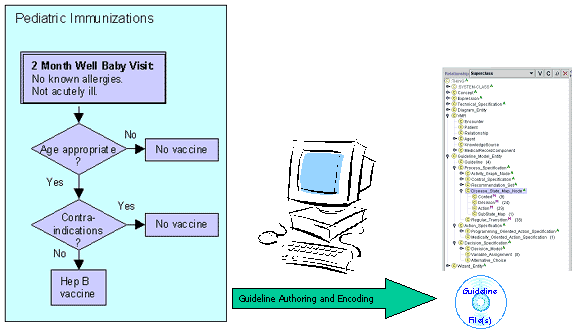
The
guideline encoding “workbench”:
- Allows
domain experts and knowledge engineers to
efficiently encode guideline logic with standard
vocabulary sets, add computable decision models,
view, edit, manage, and test the library of computable
clinical guidelines
- Allows clinical
users to rapidly capture and depict guideline scenario
logic
- Allows reuse
of encoded guideline components stored in
accessible libraries
- Allows linking
of encoded guidelines with explanatory resources
in different formats
- Allows local
stakeholders to import and adapt shared encoded
guidelines and their associated knowledge
bases for their local clinical information systems
|
| Protégé-2000
is the latest in a series of completely general-purpose
programs that help users build knowledge acquisition
systems. Its extensible component-based architecture
and configurable GUI facilitate customizing knowledge-aquisition
for given domains. Domain experts can use the custom
systems to record, browse and maintain domain knowledge
in knowledge bases. Currently, Protégé-2000
is used in varied situations from formalizing clinical
guidelines to modeling aviation knowledge.
The program itself is frame-based and is made up
of the following components:
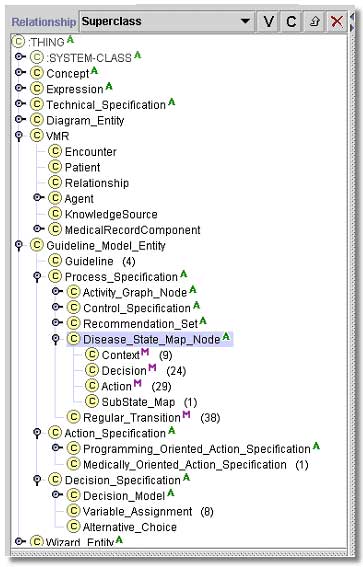
1. Knowledge base- Consists of frames
that represent classes, slots, facets, instances and
constraints.
2. Classes are concepts in the domain
of discourse. They are abstract conceptual entities
in the domain (e.g., the concept of an ACE Inhibitor),
or named collections of instances (e.g., sets of Guidelines).
3. Slots- Binary-relationships that
describe properties or attributes of classes (e.g.,
the eligibility criteria in the Guideline class).
4. Facets- Describe properties of
slots (e.g., the data type of the eligibility criteria
slot).
5. Instances of classes have specific
slot values (e.g., in EON, hypertension_guideline
is an instance of the Guideline class).
6. Constraints specify additional
relationships among instances
A primary feature of Protégé-2000 is
its ability to automatically generate a GUI form for
each class based on the class definition. Domain experts
can use these forms to enter instances of classes.
Besides the forms, complex special-purpose user-interface
widgets can also be added to the system as plug-ins
to simplify knowledge acquisition (e.g., a diagram
widget to encode clinical algorithms). There is also
a notion of a Project, which contains configuration
information and form layout information. Configuration
information includes descriptions of all the user-interface
widgets that have been added to the project and a
list of other projects that have been included by
the current project. . |
 |